


Post Star
3.086.00 Reviews
App Specs
- Version
- 9.22
- Updated On
- License
- Free
- Downloads
- 10,000+
- Developer
- Lee Enterprises
- Categories
- News & Magazines
- Platform
- Android
Screenshots
 Analysis by AppCompare
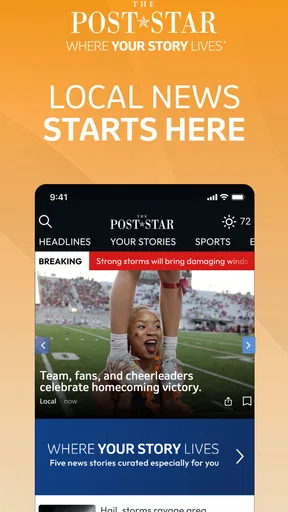
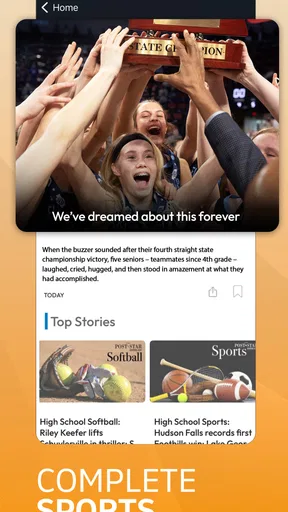
If you want local reporting without sorting through a large national news feed, Post Star is a straightforward place to begin. I found its purpose easy to understand: it brings continually updated local news and related coverage into a mobile app rather than asking me to keep checking a browser page. That focus makes it more useful for someone who follows a particular community than for a reader looking for every major headline from around the world.
The app sits in the News & Magazines category and is developed by Lee Enterprises. It is free to install, carries an Everyone age rating, and has been available since January 24, 2011. The current version is 9.22 and it requires Android 8.0 or later. Those details make it accessible to many everyday Android users, although the optional purchases, ranging from $25.99 to $314.99 per item, are worth keeping in mind before treating “free” as the complete cost picture.
What to Expect When You Open Post Star
My first impression is that this is a focused local-news tool, not a general-purpose replacement for every news source on a phone. The main value comes from having a dedicated place to check community reporting, rather than mixing local stories with international headlines, entertainment updates, technology news, and algorithmically selected opinions.
That narrow purpose is also the app’s biggest advantage. A broad news aggregator may give you more variety, but it can make local developments difficult to find. With Post Star, I would open the app when I specifically want to know what is happening in the area covered by the publication. That is especially practical during a busy morning, when I want a quick sense of relevant local developments before work or school.
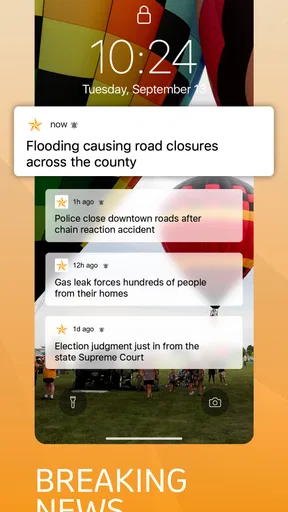
The store summary describes continually updating local news and more. I read that as an invitation to use the app repeatedly throughout the day, not simply as a one-time headline reader. A useful habit is to check it at a natural transition, such as before leaving home, during a lunch break, or in the evening when you want to catch up on stories you missed.
It is important to set expectations about the experience. A local publication app is most valuable when its coverage matches your interests and location. If you mainly want national politics, international events, sports from distant leagues, or a single topic such as technology, a larger news service will probably feel more complete. Post Star makes more sense when local relevance matters more than maximum breadth.
The app has an average rating of 3.0 from around 292 ratings, with roughly 86 written reviews. I would treat that as a sign to approach it with practical expectations rather than assuming every reader will have the same experience. Ratings can reflect different expectations about local coverage, app behavior, and access to content, so I would judge it by whether its reporting area and reading workflow fit your needs.
Worth Reading Before You Choose

EA SPORTS FC Mobile 26 Is a Bigger Football Game, but It Takes Time

Flipboard Shows What News Apps Must Do Beyond the Feed

Switching to Android Auto Means Rethinking Your Driving Routine

Google Calendar Makes a Crowded Week Easier to Manage

Ludo King Makes the Most of the Minutes Between Plans

Baby Panda World Brings Quick Play to Modern Phones, but Its Game Library Feels Busy
Who will get the most from it
I see three especially good audiences. First are residents who want a dedicated local source instead of relying on social media posts. Second are people who have moved away but still care about what is happening in their former community. Third are readers who already know the publication and prefer accessing it from an app rather than opening a browser each time.
It can also help someone who wants a calmer local-news routine. Instead of scrolling through a general feed where important community stories compete with viral content, you can make this app one stop in a short daily check-in. That does not guarantee that every story will matter to you, but the local focus reduces the amount of unrelated material you have to filter.
I would skip it if your main requirement is a broad, highly customizable news dashboard. I would also look elsewhere if you need a source that combines many publishers in one place or if you rarely read local news. Installing a dedicated app only makes sense when you expect to return to it regularly.
From Installation to Your First Useful Reading Session
I treat the first visit as a quick test of whether a dedicated local-news app fits my habits, not as a commitment to check it all day. I’d start with a story connected to something happening in my community, then notice how easily I can move from the headline to useful context. That first session also sets up a practical way to decide whether the app deserves a regular place on my phone.
Start by confirming the basics
Before installing, I would check that the phone runs Android 8.0 or newer. The app is free to download, but I would still pay attention to any purchase prompts inside the experience. The listed in-app purchase range is substantial, so a first-time user should not tap through a subscription or access screen automatically. Read the wording carefully and decide whether the available access matches how often you plan to use the app.
Once installed, give yourself a few minutes for the first visit rather than judging it after a quick glance. Look for the latest local headlines and identify the type of coverage you would realistically return for. The first meaningful success is simple: find one story that directly answers a question you had about the community, then open it and read enough to understand the situation rather than stopping at the headline.
That small test tells you more than the installation screen does. If the stories feel relevant and the reading flow feels comfortable, the app has earned a place in your routine. If the content does not match your interests, no amount of repeated checking will make it the right news source.
A practical first-day workflow
For a realistic example, imagine that I am preparing for a workday and want local context before heading out. I open Post Star, scan the newest headlines, and choose the story most likely to affect my plans or help me understand what people nearby are discussing. I read the full article, then return later rather than constantly refreshing the app. This keeps the app useful without turning local news into an endless interruption.
Another sensible workflow is to use it as a verification step. If a local claim appears in a group chat or on social media, I can check the publication’s coverage before passing it along. That is a stronger habit than treating an unverified post as a finished news report. The app’s value here is not just speed; it gives me a more direct place to look for reporting tied to the community.
For readers who have limited time, I recommend choosing one or two planned check-ins. The continually updating nature of the coverage can encourage frequent opening, but you do not need to follow every update to benefit. A short morning scan and an evening catch-up are enough for many people. This approach also makes it easier to notice whether the app is genuinely helping or simply adding another feed to your phone.
How it compares with common alternatives
Compared with a mobile browser, Post Star should be more convenient for readers who repeatedly visit the same local publication. A browser gives you greater flexibility across many sources, while a dedicated app reduces the number of steps between opening your phone and reaching local reporting. The trade-off is that the app is less useful when your interests change from local news to a wide range of subjects.
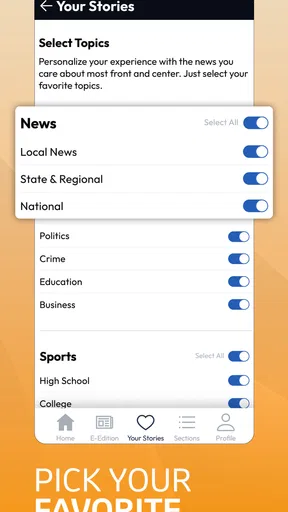
Compared with a national news aggregator, the app offers a clearer local identity but a smaller overall information field. Aggregators are better when you want to compare several publishers, follow breaking events across regions, or build a mixed topic feed. Post Star is better when you want local coverage to be the starting point instead of one small section inside a crowded stream.
Compared with social media, a publication app gives me a more deliberate reading environment. Social feeds are often faster at exposing people to a developing story, but they also mix commentary, repetition, and speculation with reporting. I would use social media to notice what people are discussing and Post Star to look for the underlying local coverage. Neither tool completely replaces the other, but they serve different purposes.
Common points of confusion
The word “free” deserves careful interpretation. You can install the app without paying an upfront price, yet the presence of in-app purchases means some access or services may involve payment. I would never assume that every article or function has the same access conditions. If a purchase screen appears, check what it covers, whether it is recurring, and whether it suits your reading habits before continuing.
Another possible confusion is expecting the app to behave like a universal news reader. Its local emphasis means that the most useful stories may be highly relevant to one reader and less interesting to another. That is not necessarily a flaw; it is the central trade-off. The more specifically local the coverage is, the less likely it is to satisfy someone who wants a broad mixture of subjects.
It is also easy to confuse “continually updating” with “every story appearing instantly.” News apps depend on the publication’s reporting and publishing process. I would use the app as a regular source for updates, but I would not build an urgent decision around the assumption that an event will appear the moment it happens. For serious or time-sensitive situations, I would also follow the appropriate official local channels.
Finally, do not judge the whole experience solely by the first headline list. The real test is whether you can move from a headline to useful understanding. Open several different kinds of local stories over time and notice whether the coverage supports the reasons you installed the app. That is a better measure of fit than a single visit.
Small habits that make the app more useful
Use the app as a local context check, not as your only source for everything. I get more value when I pair it with a broader news source for national and international events. This division of labor keeps Post Star focused on the information it is best positioned to provide and prevents disappointment when it does not cover unrelated subjects.
Second, make the first article you open purposeful. Rather than tapping the most dramatic headline automatically, choose a story connected to your day, neighborhood, workplace, school, or community interest. This gives you an immediate answer to the question, “Why should I keep this installed?” If you cannot find a meaningful use case after several visits, a browser bookmark or another news app may be more practical.
Third, be deliberate around payment prompts. The highest listed purchase amount is $314.99 per item, so I would slow down whenever the app presents an offer. A careful reader should distinguish between installing the app, reading available material, and purchasing additional access. This is one of the most important practical steps for a first-time user because it prevents an accidental commitment.
Fourth, use a fixed checking rhythm instead of reacting to every update. Local news can be valuable without becoming a constant stream of alerts or interruptions. A planned routine makes it easier to absorb stories, remember what you read, and decide whether the app is improving your awareness of the community.
Performance expectations and long-term fit
The app’s long history, beginning in 2011, suggests that it is an established publication app rather than a brand-new experiment. Its current version is 9.22, so I would keep it updated through the normal app-update process to receive the version intended for your device. I would also remember that an established app can still feel different from newer aggregator products; age and familiarity do not automatically mean it will offer every modern convenience.
Its install base is over ten thousand, which places it in the category of a focused local product rather than a mass-market news platform. That scale is consistent with the app’s purpose: serving readers who care about a particular publication and its community. I would not choose it because I expect the enormous selection of a global news service. I would choose it because a smaller, more relevant source can be easier to return to.
In daily use, the main question is consistency. Does the app help me find local stories with less effort than my current method? Can I open it, identify something relevant, and read it without feeling that I am sorting through unrelated material? If the answer is yes, the focused design works in its favor. If the answer is no, the convenience of a dedicated app disappears.
My recommendation for a first-time user
I recommend trying Post Star if local news is a regular part of your information routine and you want a dedicated Android destination for it. Begin by checking the Android requirement, install it, scan the current local coverage, and read one article that connects to your everyday life. Then return at a planned time the next day and see whether the app still feels useful rather than merely novel.
I would be more cautious if you want a completely free experience with no purchase decisions, a single app covering every news topic, or a highly personalized multi-source feed. In those cases, a browser, general aggregator, or another publication app may suit you better. The average rating of 3.0 also makes it sensible to test the app personally instead of assuming it will fit everyone.
My final view is that Post Star succeeds when treated as a focused local-news companion. It is not trying to replace every source on your phone, and it should not be judged by that standard. Its best use is simple: open it with a local question in mind, find the relevant reporting, and build a modest checking habit around it. For residents and community-minded readers, that focused path from installation to a genuinely useful first article is the app’s strongest reason to stay installed.
Pros
- Simple interface makes creating and sharing posts quick.
- Useful scheduling tools help maintain a consistent posting routine.
- Supports visual content for more engaging social updates.
- Post previews help check formatting before publishing.
- Suitable for users who want a focused posting experience.
Cons
- Some advanced features may require a paid subscription.
- Customization options can feel limited for professional branding.
- Performance may vary on older or less powerful devices.
- Posting features may depend on supported social platforms.
- Users may need to adjust permissions for full functionality.
FAQs for Post Star
What is Post Star and what can I do with it?
Post Star is designed to help users create, customize, and share social media-style posts using a selection of templates, visual elements, and editing tools. During testing, the app was most useful for preparing attractive announcements, promotional graphics, personal updates, and other shareable content without requiring advanced design experience. Its available features may vary depending on the device, app version, and selected subscription plan.
Is Post Star free to download and use?
Post Star can generally be downloaded without an upfront charge, but some of its templates, design assets, export options, or advanced tools may be restricted to premium users. Before creating a large project, it is worth checking the in-app pricing, trial conditions, and subscription renewal details. Users should also confirm whether removing watermarks or accessing exclusive content requires an additional payment.
Is Post Star easy to use for beginners?
Yes, Post Star is aimed at users who want to create polished posts without learning complicated professional design software. The interface typically guides you through choosing a template, editing text, adjusting colors, adding images, and exporting the finished design. Beginners may still need a short amount of time to explore the menus, especially when working with layered elements or more detailed customization options.
Can I use my own photos, text, and branding in Post Star?
Post Star generally allows users to personalize designs with their own content, including photos, written messages, colors, and other visual details. This makes it suitable for personal projects, small businesses, creators, and social media managers who want a consistent appearance. However, users should review the app’s permissions and licensing terms, particularly when importing copyrighted images, commercial logos, or content intended for business promotion.
Does Post Star require an internet connection, and where can I share my designs?
Some Post Star functions may work after the necessary templates or resources have loaded, but an internet connection can be required for downloading new assets, synchronizing content, accessing premium features, or completing exports. Finished designs can usually be saved to the device and shared through compatible social networks, messaging apps, or email. Export formats and sharing options may depend on the app version and account type.


